Systems
Are the systems healthy?
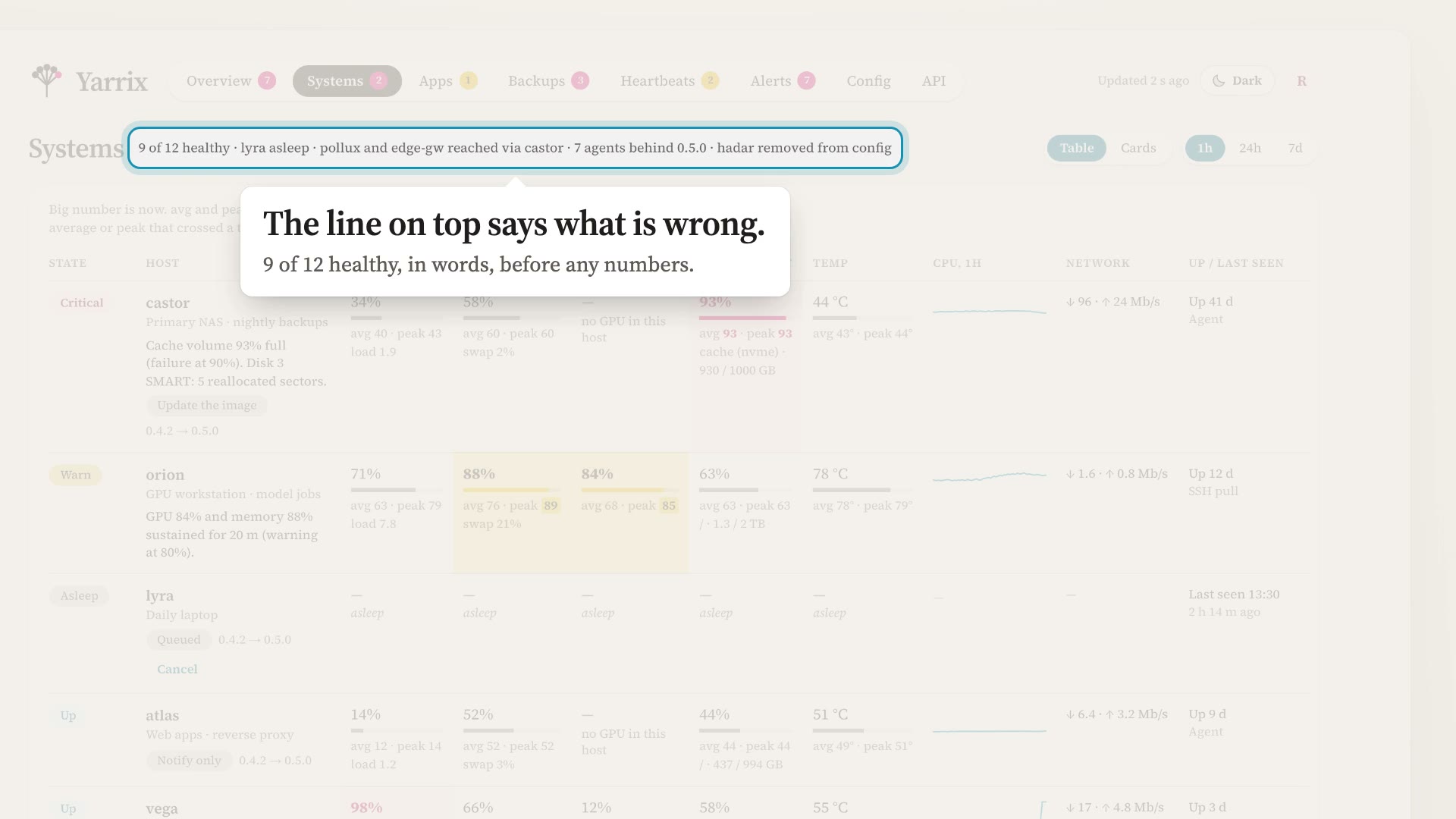
CPU, memory, disks, temperatures, SMART, RAID, containers and services, against thresholds you set. A laptop that goes to sleep shows as asleep, not down.
How hosts are readPre-1.0Open source · Apache-2.0 · Self-hosted
Yarrix is a self-hosted monitor for a small fleet, from one host to about a hundred. It answers four questions: are the systems healthy, are the apps answering, did the backups succeed, and did the scheduled jobs check in.
The overview leads with what needs you, critical first, in plain sentences. The rest waits on its own tab until you want it.
Systems
CPU, memory, disks, temperatures, SMART, RAID, containers and services, against thresholds you set. A laptop that goes to sleep shows as asleep, not down.
How hosts are readApps
HTTP, TCP and TLS checks, multi-step synthetic checks and log checks, run from the hub or from an agent inside a network the hub can't reach.
App checksBackups
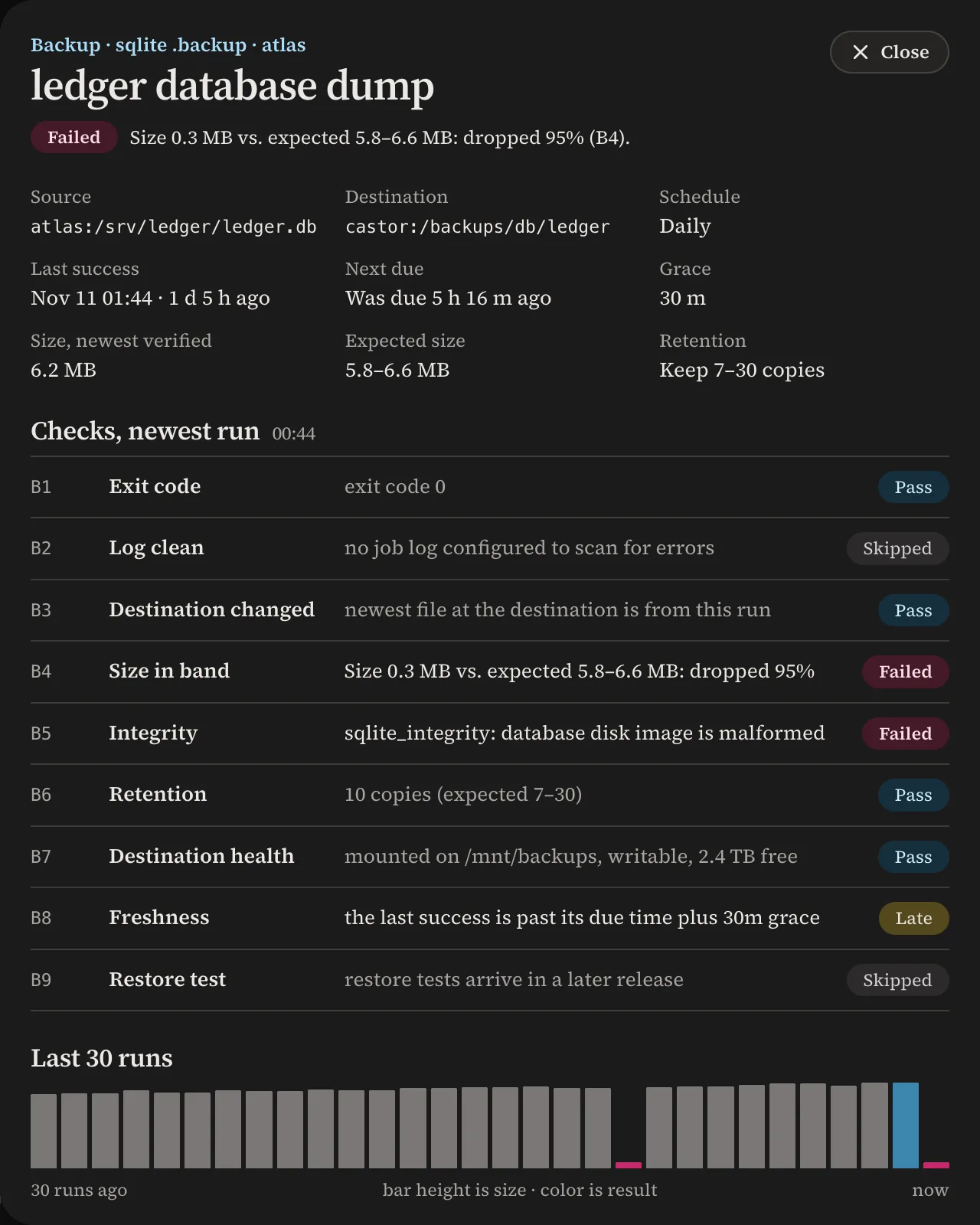
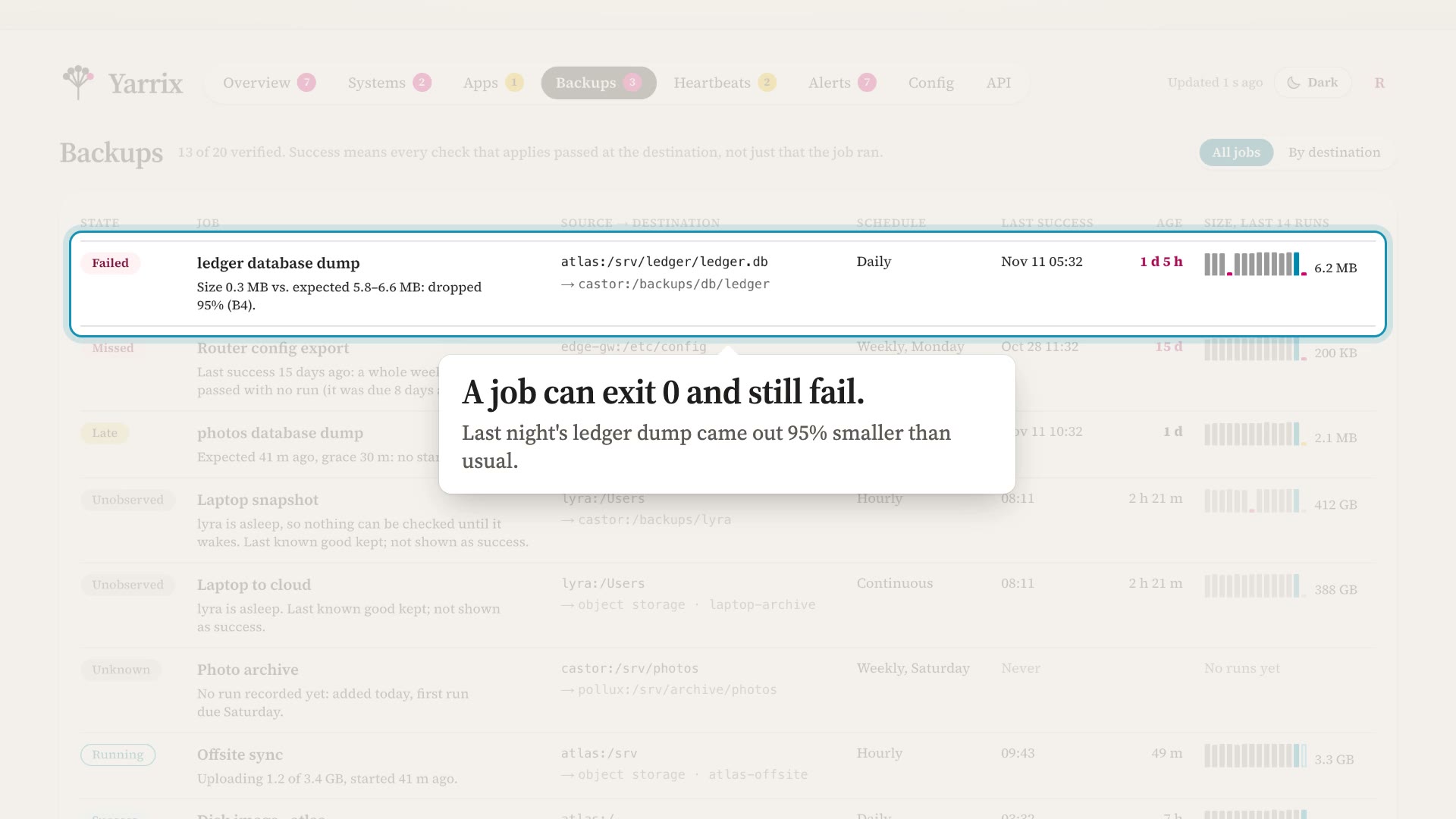
Checked where the copy landed, not taken on the job's word: fresh files, a plausible size, an intact copy, enough copies, room on the disk.
Backup checksJobs
Each job pings its own address, or runs under yarrix run, which reports the start, the exit code and the end of the output.
Backups
Yarrix doesn't take backups. It watches the jobs you already run, whether that is rsync, restic, borg, Time Machine or a script of your own, and checks the result at the destination instead of trusting the job's own "success".
A check that cannot be observed reads unknown, and unknown never counts as success. Restore tests are not built yet, so test a restore yourself now and then.
How backups are checked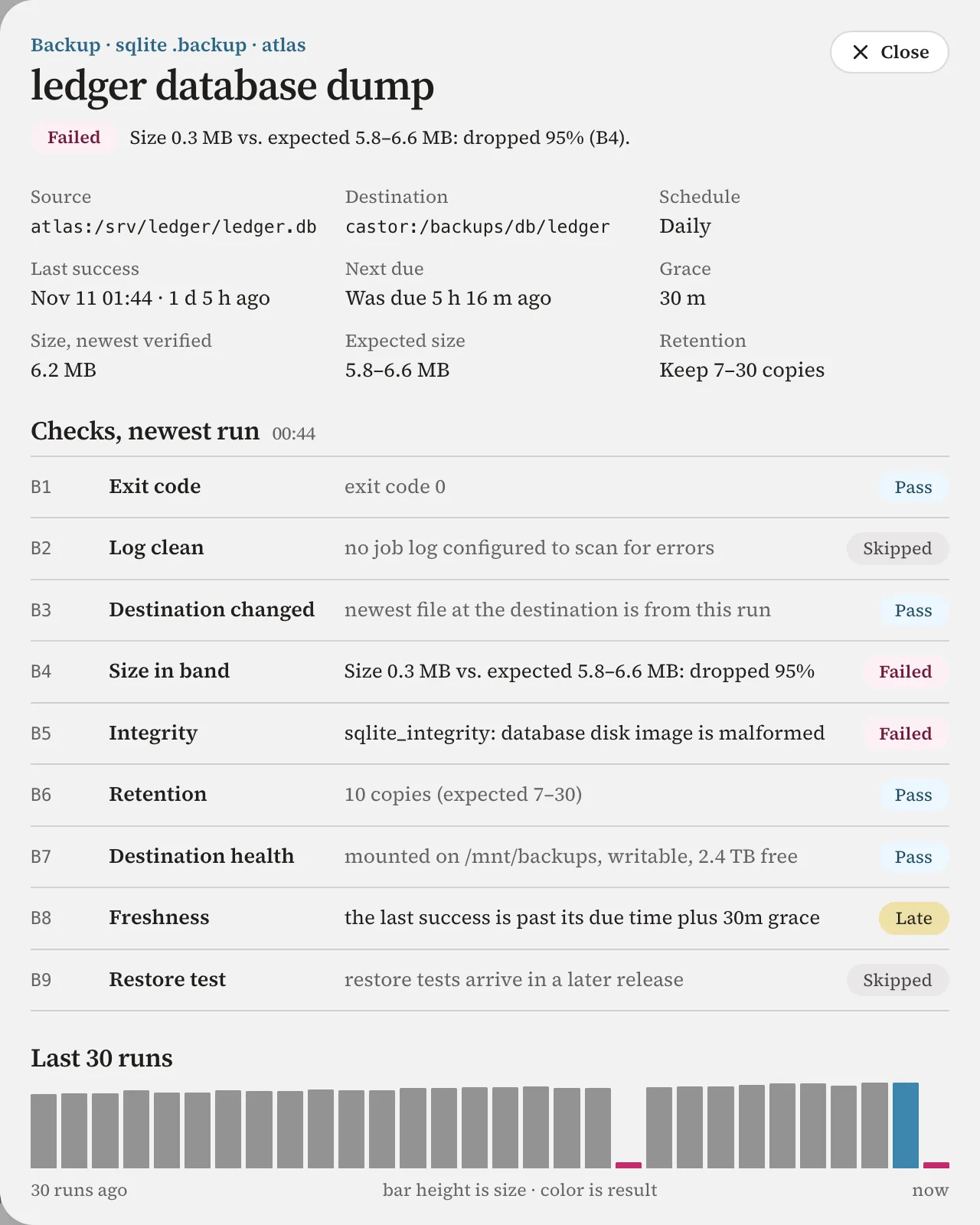
Heartbeats
A backup script, a report, a sync: the job tells Yarrix it ran, and if a ping doesn't arrive on schedule, you hear about it. Wrap the command in yarrix run and Yarrix also knows when it started, how it ended and what it printed.
0 6 * * * yarrix run https://yarrix.example.net/ping/<token> -- /usr/local/bin/nightly-reportAlerts
Send to webhooks in Slack, Discord or ntfy format, Yarrix's own JSON or a template of your own, or by email. Rules decide what goes where.
Choose per host. Apps, heartbeats and backups work the same whichever way the machine is read.
One small binary dials out to the hub, so the host needs no open port. It reads the most, and a hub restart leaves no gap: samples wait on disk and replay.
Nothing is installed. The hub signs in with a key made for that host alone, pipes a probe script to the shell and reads the answer.
For a host the hub can't reach, an agent on the same network pulls it over SSH with its own keys, so the hub never sees them.
Everything in the docs is built and covered by tests. Not every platform has been run on real hardware yet, and this table, taken from the project's README, says exactly which.
| Platform | Hub | Agent | Agentless (SSH) | Verified on hardware |
|---|---|---|---|---|
| Linux (x86_64, aarch64, armv7) | Docker image, executable | Static binary, container | Yes | Tested in containersExercised end to end in containers by the e2e suite (bun run e2e) |
| Unraid | Container template | Container template, compose, binary | Yes | Partly verifiedAgentless run on real Unraid 7.2.2. The agent container template: not yet verified on hardware |
| UGREEN UGOS Pro | Compose project | systemd unit, Docker project | Yes | Partly verifiedAgentless and the systemd agent run on a real UGOS NAS. The Docker agent project: not yet verified |
| Synology DSM 7.2+ | Container Manager project | Boot-up task, Container Manager | Yes | Not yet verified |
| macOS (arm64, x86_64) | Executable | Binary and a launchd job | Yes | Not yet verifiedBinaries are unsigned and not notarized: Gatekeeper note |
| Windows 10 1809+ / 11 / Server 2019+ (x86_64) | Executable | Service, setup.exe, PowerShell script | Yes | Not yet verifiedInstaller is not Authenticode-signed: signing |
A monitor can reach every machine it watches. Yarrix is built so that reach stays narrow, and its docs say plainly where it is not yet.
The hub's only outbound connections are the ones you configure: alert destinations, checks, SSH. It does not update itself.
A new hub listens on 127.0.0.1 only, so a bare install is never exposed by accident.
An agent never runs a command the hub sends, so a hub that is taken over cannot use its agents to run code on your machines.
Local sign-in uses OPAQUE, so the hub never receives your password. An SSH password typed into the setup wizard is used once and never stored.
The wizard makes a separate SSH key for each agentless host. The private half never leaves the hub's disk.
Release files carry checksums and a minisign signature, and agents install an update only when it is signed by a key they trust.
Everything the web app does, with an OpenAPI 3 description and tokens scoped to read, report or admin.
A server-sent event stream of changes, for a dashboard of your own.
Read-only tools for status, problems, alerts and metrics, for an assistant that can speak MCP.
yarrix status exits 0, 1 or 2 for ok, warn or critical, so a script can branch on it.
 1:26
Are the systems healthy?
The Systems tab as a table and as cards, a host's drawer, 48 hours of metrics and SMART for every drive.
 1:05
Did the backups succeed?
Backup jobs checked at the destination: size, integrity, retention and freshness, run by run.
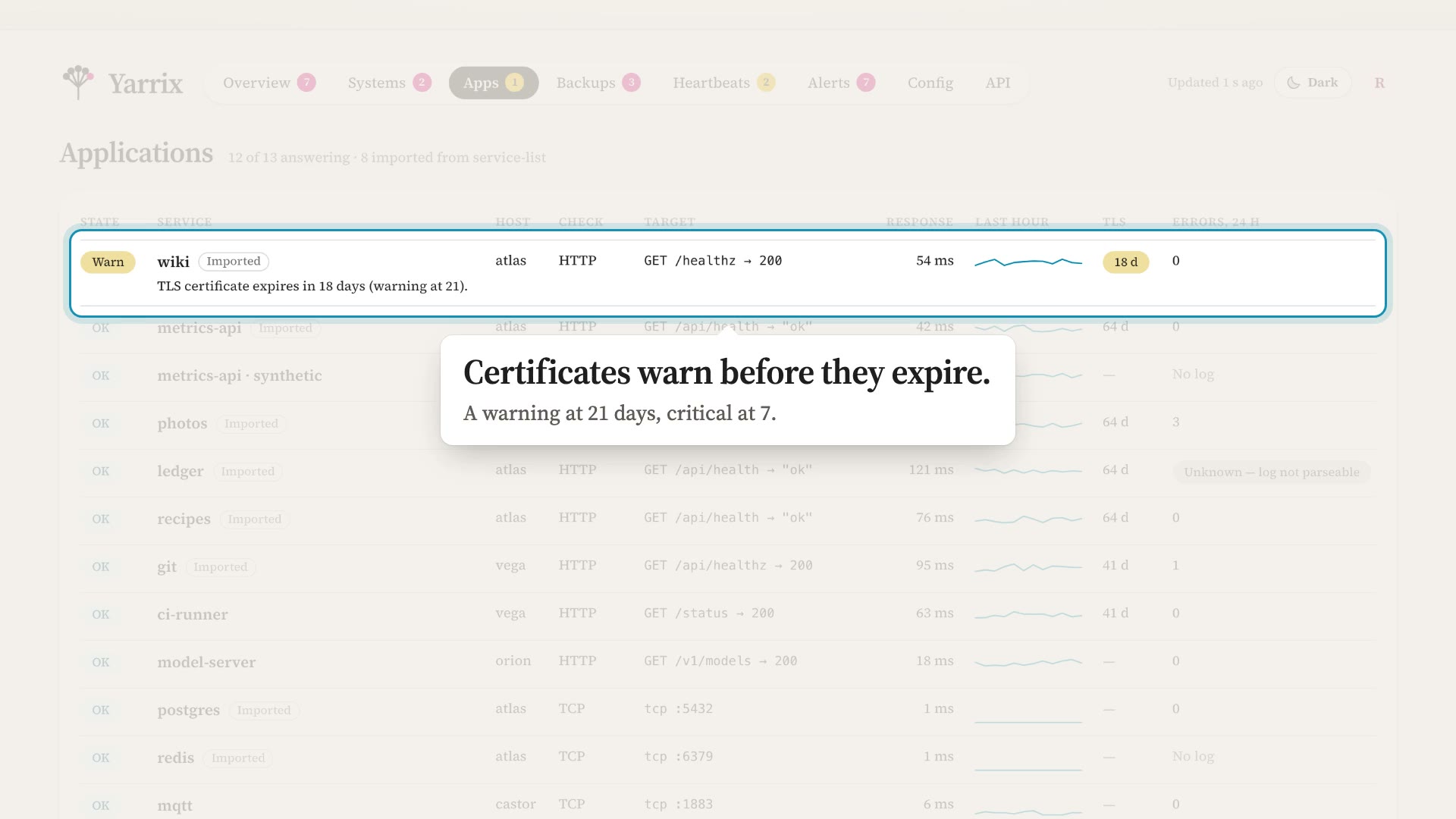 0:56
Are the apps answering?
HTTP, TCP and synthetic checks, response time, certificate expiry and error logs.
Quickstart
Start a hub with Docker Compose or a single executable, enroll the machine you are on, and send yourself a test alert. Nothing needs an account anywhere.
mkdir yarrix && cd yarrix
curl -fsSLO https://raw.githubusercontent.com/yarrix/yarrix/main/deploy/docker/compose.yaml
mkdir config data
printf 'YARRIX_UID=%s\nYARRIX_GID=%s\n' "$(id -u)" "$(id -g)" > .env
docker compose up -d
docker compose logs hub | grep "First run"
Docker Compose, from the quickstart. The hub then listens on 127.0.0.1:7790 only.